MacBook Air M5
Ten days as my main machine, most of it spent writing code. And the most interesting thing isn't the power or the silence — it's realising that this Mac's only real limit isn't in the Mac.
By Besian Shala
The specs
Apple announced the M5 Air in March 2026 at €1,249. The base configuration is a 13.6-inch 60 Hz LCD, 16 GB of RAM, 512 GB of storage and the M5 chip — 10-core CPU, 8-core GPU, 16-core Neural Engine.
On paper the jump from the last generation is modest but real: roughly 14% more on Geekbench 6, and up to four times the performance on AI workloads. The number that actually matters, though, is the price. There has never been a €1,249 Mac with 16 GB of RAM and 512 GB of storage — and that single fact makes this the best performance-per-euro Mac Apple has ever shipped.
Design and build
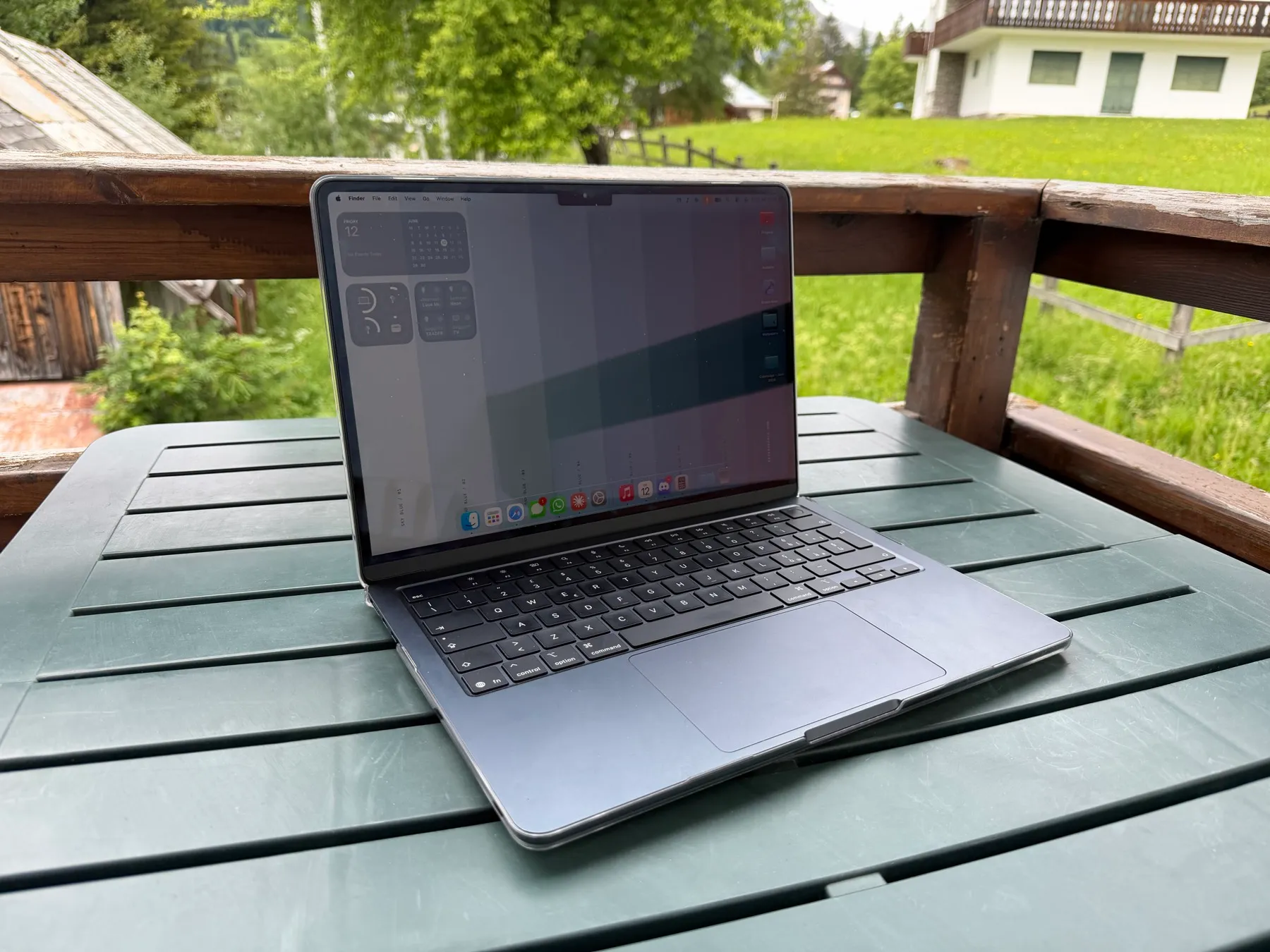
Visually, nothing has moved in four generations. The only real changes are the keyboard — identical, as it happens, to the M4’s — and the Midnight finish, which Apple has finally got right after the fiasco of the M2. Ten days in, my unit shows no discolouration and no scratches. There’s some faint wear around the trackpad, but nothing like what the M2 Air used to pick up. I’d still use a case: the aluminium marks if you so much as look at it. A decent one runs about €15 on Amazon — mine was €13.
The display is good, and it has been good — and unchanged — for years. I kept hoping this would be the generation that finally brought an anti-glare, anti-reflective coating. It isn’t. Fingerprints pile up fast, and in direct sun the screen is a mirror. It’s the same 60 Hz panel as ever: perfectly fine, but I’d take 120 Hz ProMotion in a heartbeat. For another year, that stays a Pro feature.
The speakers earn their own line. The output is good and the microphones are genuinely excellent; my only complaint is where Apple put them, tucked under the keyboard. Build quality is exactly what you expect from a Mac — no flex, no creak, nothing out of place.
Living with it — coding included
I mostly write code: Xcode, web work, Claude Code, sometimes on fairly heavy projects. I expected the Air to tap out under sustained load. It never did — not once. No throttling, no stutter, no thermal wall. And remember this is a fanless laptop doing all of it in complete silence, something unthinkable on a conventional chip.
I also worked away from my desk a lot — a café, a bench, wherever — and that’s where an Air earns its name: light, effortless to carry, dead silent. Wi-Fi held up everywhere, even tethered to my iPhone outdoors. But the real headline is battery. A full day of heavy use is never in question; normal use stretches to two days, and up to three with Low Power Mode.
The real limit is the software — and WWDC proved it
From day one the bottleneck was never the hardware. It was macOS 26: slowdowns, bugs, a smoothness the machine clearly had in hand but the OS wouldn’t let through. This wasn’t a one-off impression or a bad unit — I hit exactly the same wall on the MacBook Pro M1 Pro and the MacBook Air M2.
Monday’s WWDC confirmed it. Apple showed macOS 27, and it’s visibly smoother — plausibly because they’ve finally dropped Intel support and given the codebase a proper clean-up, the same move that made Snow Leopard what it was. In other words, this Mac’s biggest weakness was never the Mac. It’s the OS, and the fix is already on the way.
That leaves one open question: the Neural Engine. Its 16 cores sit mostly idle today, because Apple Intelligence doesn’t lean on them. And worth clearing up a common myth — these cores have nothing to do with ChatGPT, Claude or Gemini, which run on their own servers, not on your laptop. That should start to change in September, when the new AI-driven Siri shown at WWDC 2026 arrives.
Which Mac to buy in 2026
Against the Pro. For how I work, the Pro’s headline features simply aren’t necessary. ProMotion and mini-LED are lovely; they don’t change my day. And then there’s the gap: a 14-inch MacBook Pro M5 starts at €1,729 — about €480 more. You get a fan and a 10-core GPU (versus the Air’s 8), so more sustained power, but that only pays off if you genuinely need it: heavy development, video editing, more ports, HDMI, an SDXC slot, a 120 Hz mini-LED screen.
Against the Neo. It’s the cheapest way in, but it runs an A18 Pro — the iPhone’s chip — while the Air steps up to the M5, which is in another league entirely. The Air also gives you 16 GB of RAM instead of 8, two Thunderbolt ports rather than plain USB-C, MagSafe, a backlit keyboard, better colour, and a far better trackpad. The Neo only makes sense if rock-bottom price or light use is the whole point.
The verdict
Ten days in, the verdict is clearly positive, with no sour notes. The hardware is excellent; the limits were software, and after WWDC they’re already healing. If you don’t need serious graphics performance, this is the one to get — and for that kind of user, good luck finding anything better at the price right now.
The scorecard
Overall 8.0
Like this wallpaper? Colorways →